How we edit Bulk Products
Edit Bulk Product
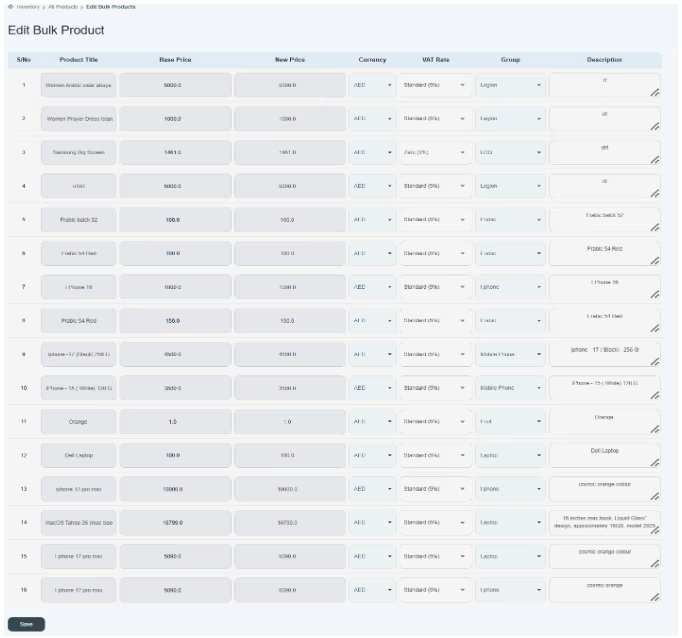
When you click on edit bulk product.

You can see all product names given in the list in the form of a table. The table includes S/No, product title, base price, new price, currency, VAT rate, group, and description.
- The user can edit any information related to any product.
- The user can change the title of the product.
- The user can’t change the base price, but the user can update new pieces.
- Click on the currency, and the user can change and select the currency name.
- Click on VAT Rate and select the VAT tax rate.
- Click and select the group to which the product is related.
- Click on the description and update it.
- Once you successfully change the information, the user can click on the save button. New changes will display in the existing inventory/product lists given below.