
Money In
Money In” refers to the income or cash inflows that a company receives. It includes all sources of inflows in the bank/company, such as sales revenue, owner investments, loans received, etc. Essentially, it shows where the company’s money is coming from.
In this tab you can see two options, given below
Cash received by the customer
01. Cash received by the customer
02. Cash contribution by owner
Click the correct option to record the payment
If you received any Amount from the customer sales, that amount would be considered as sales revenue and then recorded as unallocated receipt by selecting the customer’s sending account.
If you received any amount invested by the owner, that amount would be recorded as owner’s investment and will be kept in Current Account of the owner, so then click on Investment Block.
How To Record Money In, in the Bank Account
- Click on Money in option as given in above picture.
- A new window comes on your screen, you can see in the given picture.
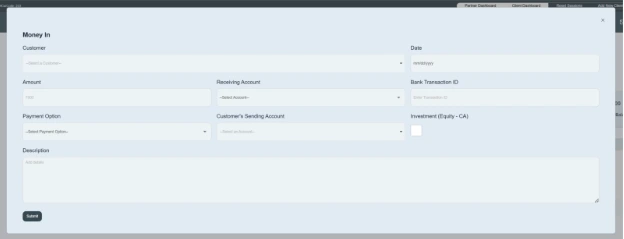
- Select customer name e.g. ABC trading LLC
- Enter the date on which the transaction occurs. e.g. 10/31/2025
- Enter the amount that comes to the bank. e.g. AED100000
- Select the receiving account, in which you received the payment. E.g. Mashreq Bank.
- Enter the Bank transaction id provided by the bank e.g. ABCD-123456
- Click on the payment option and select the payment method. e.g. cheque, cash, etc.
- Enter the account Customer sending money for your company. e.g. RAK bank
- If you received any amount from the customer sales, that amount would be recorded as sales revenue while considering unallocated receipt and then go to the customer sending amount and enter the amount.
- If you received any amount invested by the owner, that amount would be recorded as Owner’s Equity, so then click on Investment Block.
- Write a brief description of it.
- Then click on the Submit button.
- By Double Clicking on bank name this transaction will show in transaction details as money in transaction. You can edit it, remove it, and download it from the transaction details.
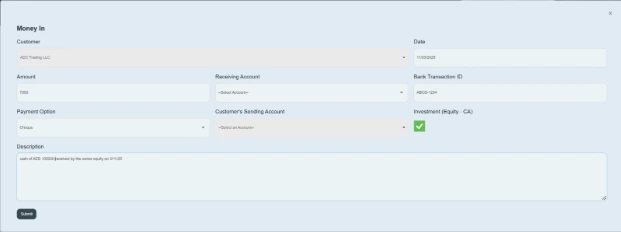
Here, you can record details of the cash inflows referred to as “Money In,” received in your company’s bank account.
