
Money Out
“Money out” refers to the money that flows out of a company. It includes all payments and expenses, such as supplier payments, owner withdrawals, and loan repayments. In simple terms, it represents the company’s spending or cash outflows.
In this tab you can see two options, given below:
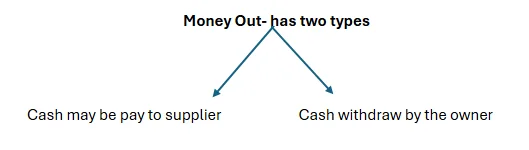
Click the option to record the money-out payment.
If any cash goes out in the form of payment to the supplier, it would be considered an expense, so record it as sending an amount to the supplier. If cash goes out in form of owner withdrawal, consider it as owner use, then click on investment
How to record Money out from the company’s Bank Account
- Click on the “Money Out” option as given in the above picture.
- A new window comes on your screen; you can see in given picture.
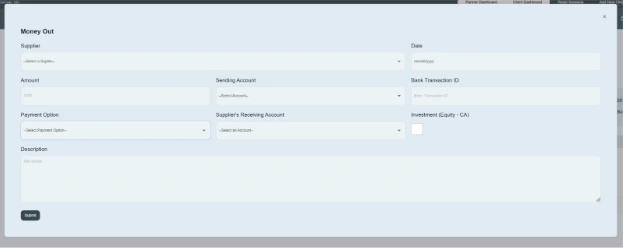
- Select Supplier name, e.g., XYZ Trading LLC
- Enter the date on which the transaction occurs. e.g., 11/8/2025
- Enter the amount. e.g., AED700,000
- Enter the sending account, which you send to the supplier. E.g., Mashreq Bank
- Enter the Bank transaction ID provided by the bank, e.g., MDXY-108306
- Click on the payment option and select the payment method, e.g., check, cash, etc.
- Enter the supplier receiving account name in which you are sending money to the supplier from your company. e.g., XYZ Trading LLC xxxxx90001
- If any money is taken out of a business by its owner, that amount would be recorded as owner’s equity/capital share. For that, click on Investment Block.
- Write a brief description of it. E.g., cash of AED 700000 has been sent to the supplier on 11/8/2025.
- Then click on the Submit button.
- By double-clicking on the bank name, this transaction will show in transaction details as a money-out transaction. You can edit it, remove it, and download it from the transaction details.
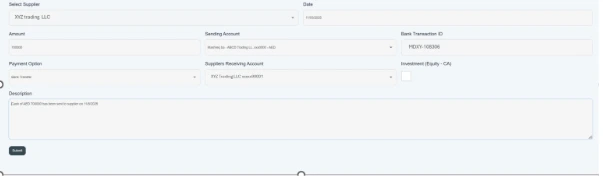
- Here, you can record details of the cash outflows, referred to as “Money out” spent on your company’s bank account.
