Debit Note Analysis
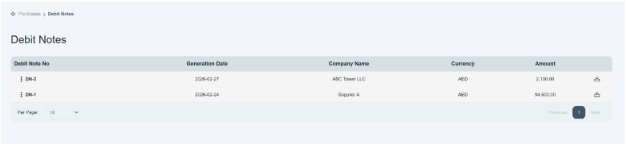
Users can review and check the details of debit notes through their specific subhead, i.e., unallocated payments located in purchase mode. Click on it, and there is a main table given that shows you summarized information of debit notes that you have created yet.
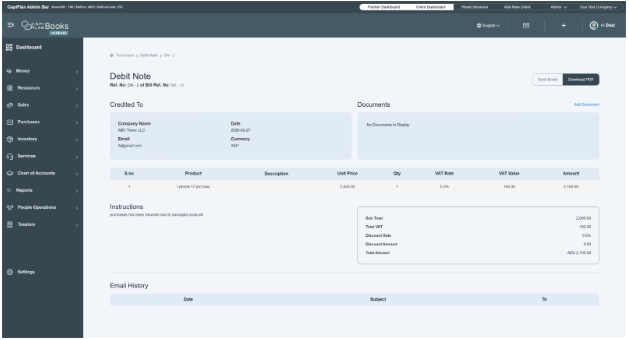
To analyze the details and to learn more about functionality, click on debit note reference no. Once you open the details, there is all information available to review the information. This page allows the user to review and manage debit notes issued to the supplier for returning the purchases.
There are action buttons given, located on the top right side of the page. It consists of two options. i.e., send email and download PDF.
On the left side, there is a section given that shows us the supplier details to whom the debit note is issued, like company name, email, date, and currency.
You can also attach documents on the right side of the page as supporting evidence by clicking on the Add Document button.
There is a product/service detail table present to display all the product/services details, including the debit note. It includes product name, description, unit price, quantity, VAT rate, VAT value, and total amount.
There is an instruction and summary section given in the table.
On the left side, the summary box shows you the financial summary of the total amount. It displays your calculated totals for the debit note.
There is a column located at the bottom of the page of Email History that shows all email notifications sent for the debit note. It shows date, subject, and sent to.