i. How User Can Download PDF Of Invoice
The user can download the invoice in PDF form by clicking on the Download button.

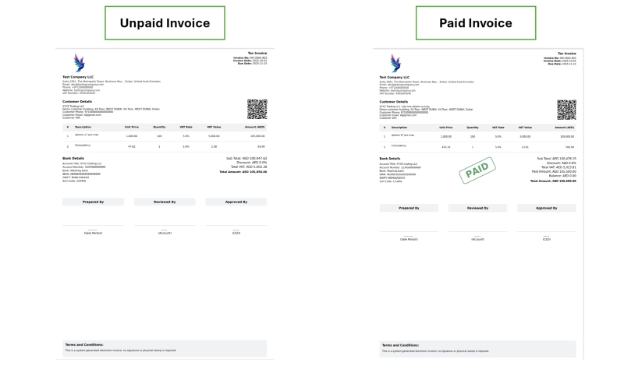
The invoice could be downloaded in PDF format regardless of its payment status. The invoice screen displays all financial details related to the transaction, including item-wise breakdown, quantities, unit prices, VAT, and discounts (if applicable).
At the bottom of the page, a complete total summary is provided. This summary includes the subtotal, total VAT, discount amount, and the final total amount.
The final total represents the amount payable by the customer.
The system allows invoice download whether the invoice is
- Unpaid
- Partially Paid
- Fully Paid
The system allows you to download the invoice whether it is unpaid or paid. For an unpaid invoice, a standard invoice document is generated. Once the invoice is marked as paid, a “Paid” stamp will be displayed on the document. The partially paid amount will show you in the subtotal summary.
Users can change the PDF layout or design through default settings.