
If You Want To Create Credit Note Against Specific Item
During credit note creation, all item details are displayed in a tabular format.
- To exclude an item from the credit note, set its quantity (Qty) to 0. The system will not calculate any amount for that item.
- To include an item, enter the quantity for which you want to issue the credit note.
- The net price is automatically calculated as
Unit Price × Quantity
- VAT is calculated according to the selected VAT rate.
- All amounts update automatically once the quantity is entered.
Example from the Image:
The below picture is given for better understanding.
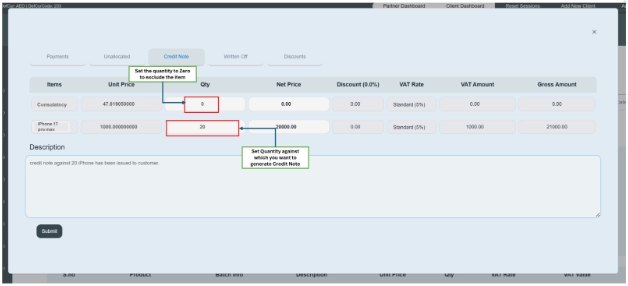
Upon submission, the system will generate the credit note only for the specified product.
