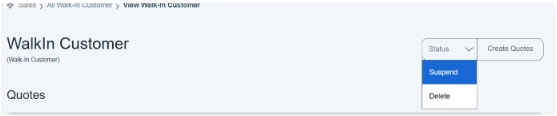
How we change the Status of walk-in customers—suspended/deleted
Go to the status button and click on the drop-down button; it shows you two more options, i.e., suspended or delete.
Suspend—Suspending a customer account means they cannot place orders for now, but their data is still saved.
Delete button—Permanently removes an account, record, or item from the system. E.g., permanently removes a customer account, record, or item from the system.
By clicking on any option, customer information would be suspended or removed permanently.