
Unallocated Receipt
Unallocated receipts mean the payment has been received but not assigned to a specific invoice, or there is a delay coming from the customer side. Once we find the specific invoice, it becomes allocated.
Location
First go to the navigation bar and click on “sales.”
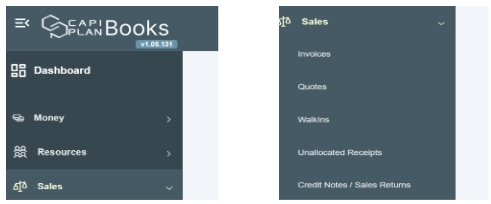
After clicking on it, it shows you different modules such as money, resources, customers, etc. Go to the sale module and click on the drop-down section. It shows you subsections such as invoice, quotes, walk-in, unallocated receipts, and credit notes/sales returns.

